SSH terminal
A real terminal, made for a phone.
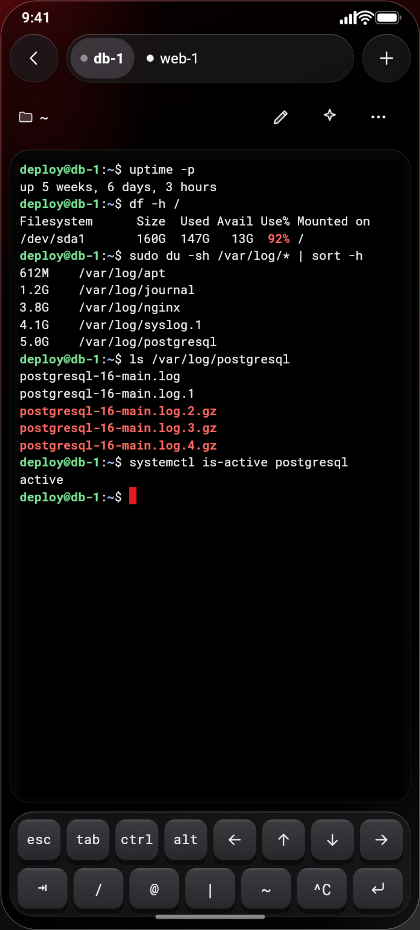
Tabs, tmux in one tap, a key bar with Esc, Tab, Ctrl, Alt and the arrows, and a typing box you can dictate into. Import your SSH config, jump hosts included.

Out now on Android · iPhone soon
An SSH client and server monitoring app for the Linux servers and VPS you run, with uptime alerts and a chat with the AI coding agent on your server. No account. No analytics. Your phone talks straight to your server.
> 1 server free, unlimited servers with Pro
$ df -h /
Size  Used Avail Use%
 80G   74G  6.1G  92%
$ du -sh /var/log/journal
 41G   /var/log/journal
$ journalctl --vacuum-size=2G
Freed 39.0G.
$
The root disk has 6.1G left.
Wants to edit nginx/site.conf
Screens
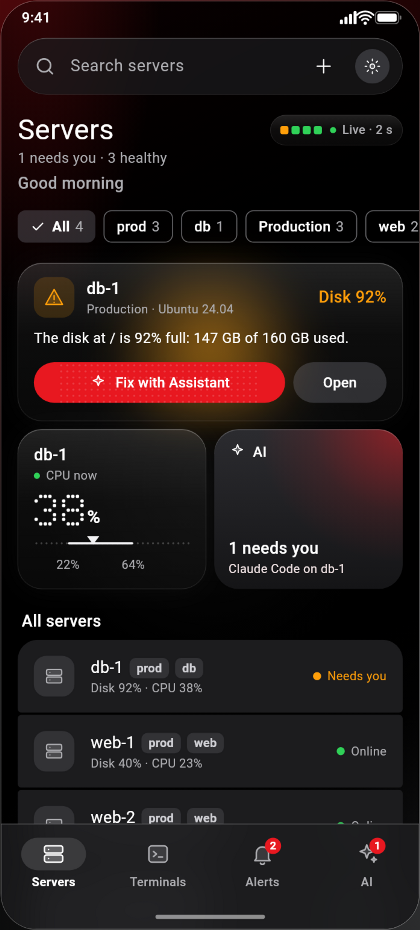
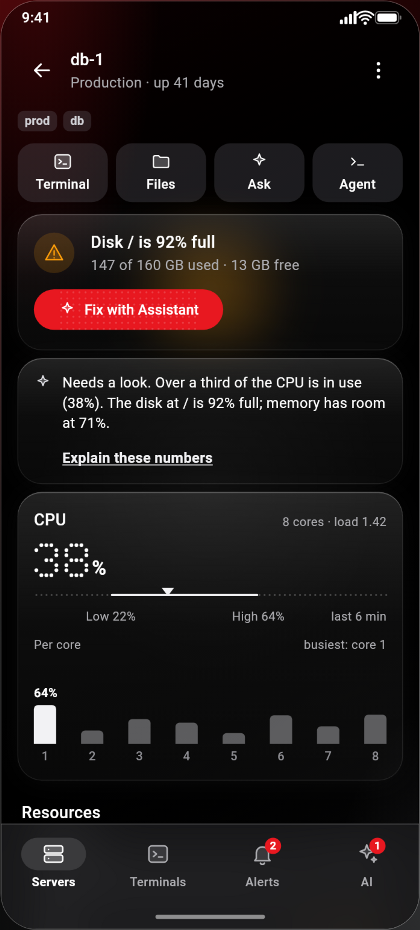
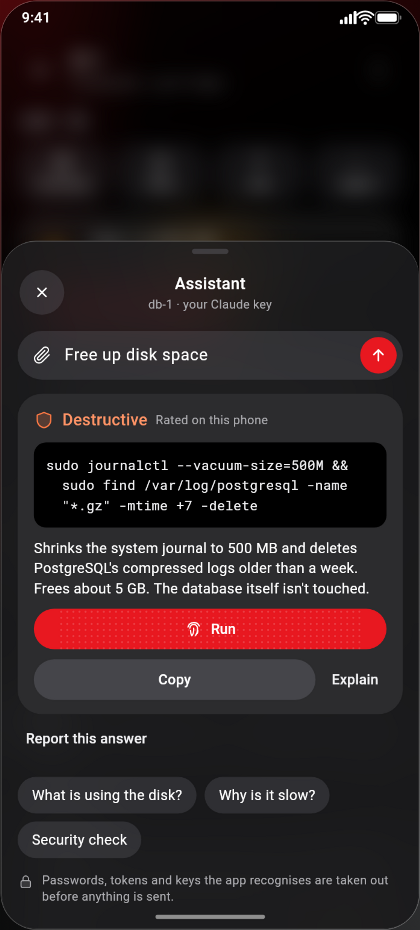
Rendered from the app itself, with demo servers and demo data.
What's inside
One app for what used to take an SSH client, an uptime monitor, a pager and a laptop.
SSH terminal
Tabs, tmux in one tap, a key bar with Esc, Tab, Ctrl, Alt and the arrows, and a typing box you can dictate into. Import your SSH config, jump hosts included.
Monitoring
CPU, memory, disk, network, load and uptime, with history. Processes, open ports, and systemd services with their logs. All read over plain SSH, so there's nothing to install on your servers.
Alerts
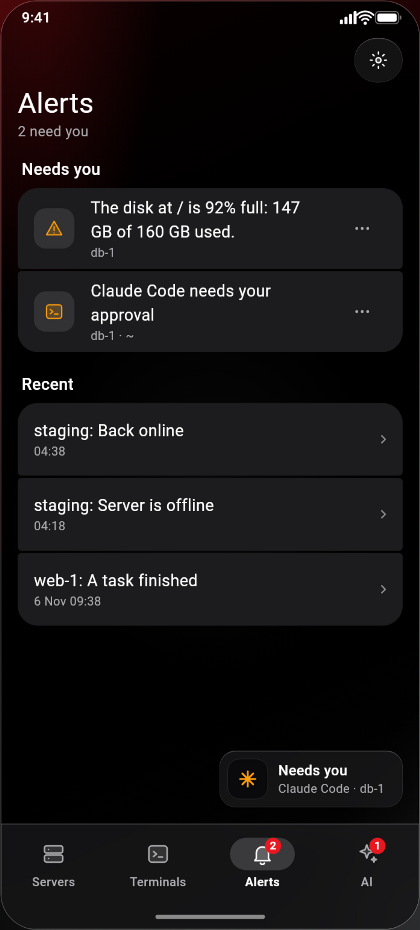
Uptime alerts when a server stops answering, plus a full disk, a failed service, password guessing or a sign-in from a new address. Acknowledge, snooze or mute right from the alert. On iPhone, while the app is open.
AI agents
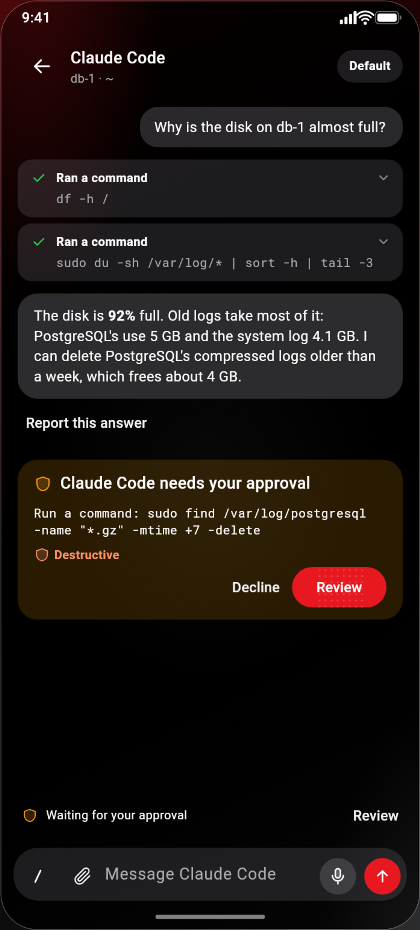
Chat with Claude Code, Codex or Gemini CLI running on your server. Changes wait for your approval, unless the agent's own settings allow them.
Files
Browse, upload, edit and download over SFTP. Send photos and files straight to your agent.
Cron
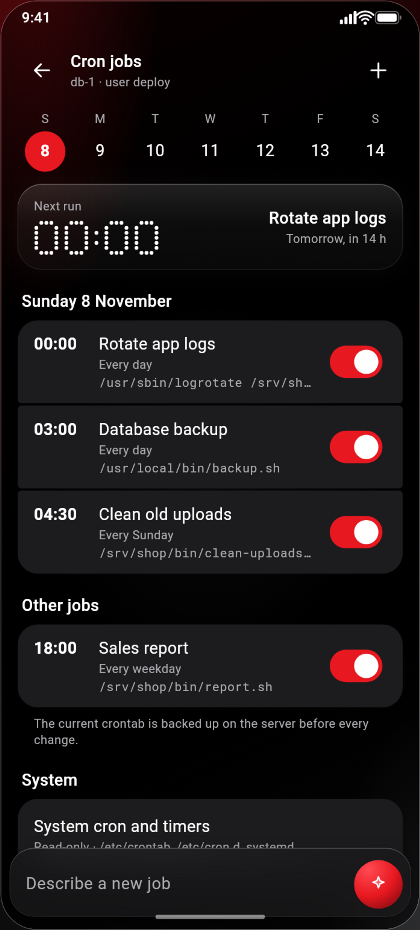
"Every day at 02:30" instead of 30 2 * * *, with a time picker and a backup before every change.
Safety
Risky commands show the exact command first, and destructive ones need you to type CONFIRM. Read-only servers, and a signed log of every change.
Keys
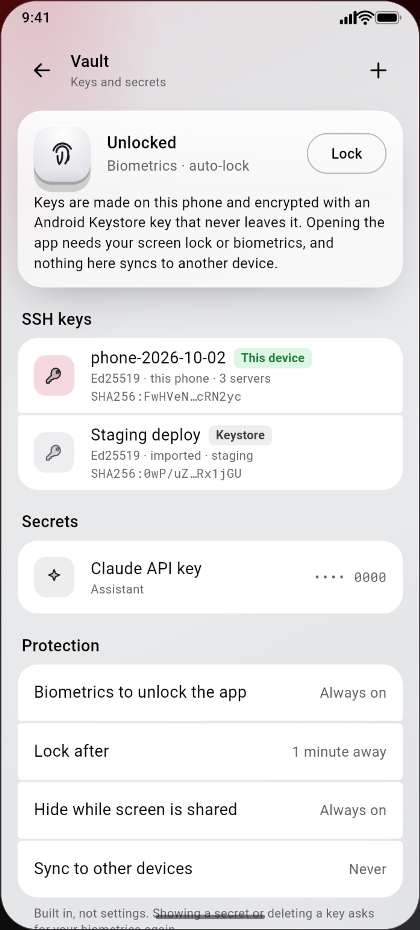
SSH keys made on the phone, kept in its secure storage, with an end date in case the phone goes missing. An encrypted backup can move it all to a new phone.
Bring your own AI
Vibe coding away from your desk? Pick up where your agent left off, right from your phone. Use another AI CLI? Add it, and OpsPocket finds its chats on your server and resumes them in tmux.
On your server
Signed in on your server with your own account, it keeps working when you close the app. Chat from your phone, send it screenshots and files, and approve its edits and commands. They wait for you unless the agent's own settings already allow them.
Your own key
Ask in plain words for one command, with its risk rated on the phone, or have an error explained. Before it first sends anything to a provider, it shows what goes and asks you. Passwords and keys it recognises are taken out first.
Who it's for
Sysadmin, DevOps engineer, or the one person who looks after the company VPS: here's what you get.
Privacy
We took all analytics out of the app. Your servers, keys and passwords stay on your phone, and here's who the app talks to. You can watch it happen in Settings, Privacy, Network activity.
This website doesn't track you either: no cookies, no analytics.
Strict privacy turns all of that off, except SSH to your own servers and Google Play or the App Store on your phone.
Pricing
The prices on Google Play, shown in your currency. The iPhone version will have the same plans and trial. The store confirms the price before you pay.
Free
Keep it for as long as you like. No card, no trial clock.
Pro · Coffee Worth
Or $39.99 a year, with a 14-day free trial on Google Play and the App Store. Cancel any time in the store. Shown in your country's currency; the store shows the exact price, with local tax, before you pay.
Questions
Questions or ideas? Write to us. We read everything.